

AI video tools promise speed, yet many creators walk away frustrated — tangled in complex settings, unpredictable outputs, and fragmented workflows. This guide shows you how to sidestep those friction points using a platform built around the user experience from the ground up.
1. Why AI Video Tools Often Feel Hard to Use
The promise of AI video is compelling: describe what you want, press a button, get a polished clip. The reality, for most users, is quite different. Steep learning curves, opaque prompt requirements, inconsistent results across sessions, and tools that feel stitched together rather than designed — these frustrations are almost universal among first-time and even experienced creators.
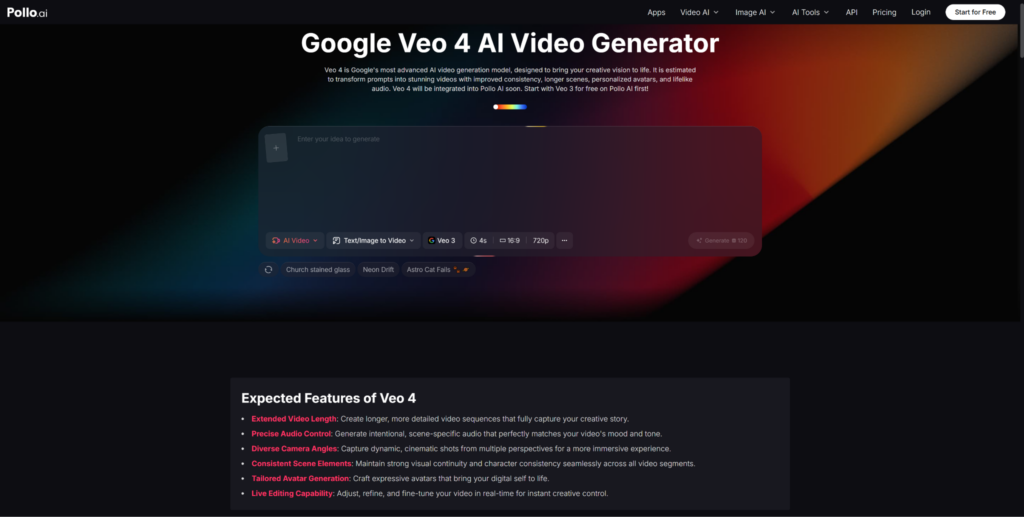
The underlying problem is rarely the model itself. It’s the lack of a thoughtful interface layer between powerful technology and everyday users. That gap is exactly where Pollo AI steps in. Built around one of the most capable generation engines available today — Google Veo 4 — it wraps cutting-edge output quality inside a workflow that actually makes sense to non-engineers.
2. How Pollo AI Improves the User Experience
What sets Pollo AI apart isn’t a single feature — it’s the accumulation of small, deliberate UX decisions that remove friction at every stage of the creative process. You start with a clear input interface: describe your scene, choose a visual style, and the platform guides you through the rest. There’s no need to memorize magic prompt structures or wade through a technical documentation page before you can make something.
✦ Faster from idea to output — most users reach a usable draft in their first session.
✦ Fewer retries — smarter defaults mean less time adjusting parameters you don’t fully understand.
✦ Non-technical friendly — the interface is designed for marketers, educators, and content creators, not just developers.
Whether you’re a solo content creator trying to produce professional-grade clips without a video team, or a marketer who needs quick, on-brand assets at scale, Pollo AI reduces the gap between what you imagine and what you actually get. That reduction in cognitive load and retry cycles is, ultimately, the real productivity gain.
3. A Simple Workflow for Faster, Better Results
A good tool is only as useful as the workflow around it. Here’s a straightforward four-step process that maximizes output quality while keeping the process manageable — even if you’re new to AI video creation.
- Define your goal Be specific about the outcome: What’s the video for? Who’s watching it? What feeling should it leave? A clear goal drives a better prompt, and a better prompt means fewer rounds of revision.
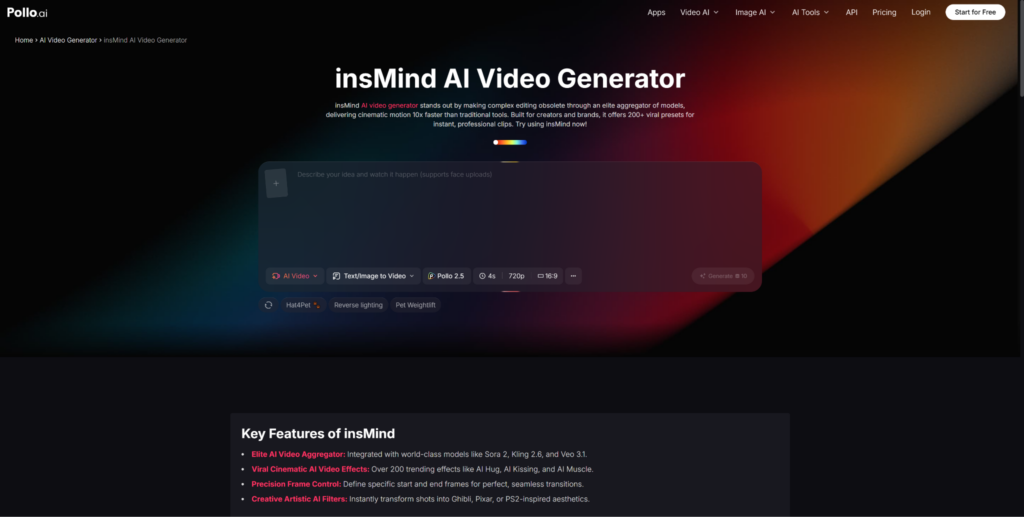
- Prepare your assets and visuals Strong source material leads to stronger outputs. If your workflow involves images — product shots, background scenes, or reference stills — refining them beforehand pays off. Tools like InsMind integrate naturally into this stage: use it to clean up backgrounds, isolate subjects, or enhance image quality before feeding assets into your video generation pipeline.
- Generate and refine Start with the platform’s recommended settings, review your first output critically, and make targeted adjustments. Rather than changing everything at once, tweak one variable at a time — motion style, pacing, color grading direction — to zero in on your ideal result efficiently.
- Export and deploy Once you’re satisfied with the output, export in the resolution and format suited to your distribution channel — social media, presentations, landing pages, or email campaigns.
4. When Pollo AI Makes the Most Sense
Marketers Moving Fast
Need campaign videos in hours, not weeks? Pollo AI compresses the production timeline without sacrificing visual quality.
Educators & Explainers
Turn written concepts into engaging visual content — no video editing skills required, no production crew needed.
Non-Technical Creators
If complex tools have stopped you before, a UX-first platform changes what’s possible without a steep learning curve.
Workflow-Focused Teams
When consistency and repeatability matter more than one-off experiments, a structured, predictable tool earns its place in the stack.
The common thread across all of these use cases is a need for reliable, controllable output without investing months in mastering a new discipline. Pollo AI is built precisely for that intersection — where ambition meets a realistic daily workload.
5. Final Takeaway
The best AI video tool isn’t necessarily the one with the most powerful model under the hood — it’s the one you can actually use consistently, confidently, and quickly. User experience has become the deciding factor in which AI tools get adopted and which ones get abandoned after a single session.
Pollo AI understands this. By combining high-quality generation with a workflow that respects your time and removes unnecessary friction, it offers something genuinely useful rather than just technically impressive. If you’ve been hesitant about AI video because past tools felt too complex or unpredictable, this is a platform worth experiencing firsthand.
Start simple. Define a clear goal. Prepare your assets. Generate, refine, and publish. The workflow is the product — and with the right platform, it’s finally one that works with you.