

The 2 AM Slack Message Every Founder With International Customers Gets
It usually starts with a support ticket. Someone in Munich or Sao Paulo flags that the onboarding email reads like it was translated by three different people who never spoke to each other, because it kind of was. A founder pastes the copy into one AI chatbot, then another, then a dedicated translation tool, just to see which version sounds least robotic. Twenty minutes and four browser tabs later, they pick the one that “feels right” and move on, hoping they picked correctly.
That workflow is common among SaaS founders, marketers, and consultants managing growth across borders. It also stops scaling the moment a second language pair enters the picture.
Why “Just Ask Claude to Translate It” Breaks Down at Scale
Founders who already use Claude for drafting emails, product copy, and support macros often assume translation is a solved problem: just ask it to translate. The issue is not that the assistant gets it wrong. The issue is that a single model’s output is a guess dressed up as an answer, and there is no way to tell which guess to trust without checking it against something else.
That is exactly the behavior showing up in the research. Language preference data from CSA Research, covered by industry outlet Slator, found a large share of online buyers across 29 countries prefer buying from sites that present information in their own language, and a meaningful portion will not buy at all if it is not. A mistranslated line in an onboarding flow is not a cosmetic problem. It is a churn risk.
The instinct to open five tabs and compare outputs by eye is a reasonable response to that risk. It just is not a workflow. It is a manual QA process bolted onto a task that should be automated.
What a Real Multilingual AI Workflow Actually Needs
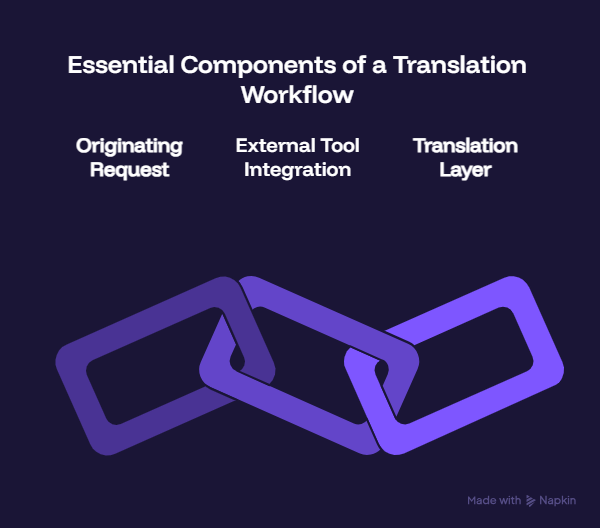
The second point is where Claude Connectors and MCP fit. MCP, short for Model Context Protocol, is the open standard Anthropic introduced in November 2024 for letting AI assistants like Claude call outside tools directly inside a conversation, instead of a person copying and pasting between apps. Rather than every business building a one-off plugin for every AI tool, MCP gives them one connection method that works across providers, which is a large part of why analysts expect a substantial share of enterprise software vendors to ship their own MCP servers through 2026.
For context on how fast AI tooling is reshaping the rest of the marketing stack, Veloce’s ongoing AI coverage is worth a look before you build any workflow around a single vendor’s roadmap.
For a founder managing a small team, the practical translation is simpler: if a tool has an MCP connector, Claude can use it directly, mid-conversation, without switching apps.
Step 1: Turn On Claude Connectors
Inside Claude, connectors live under the customization settings, alongside the other tools Claude can call on your behalf. Enabling one is a one-time authentication step, similar to logging into any other piece of software. Once it is active, Claude can reference it automatically when relevant, or you can call on it directly by naming it in a prompt.
This is also where the workflow becomes reusable instead of a one-off trick. Once a connector is live, every teammate with access to that Claude workspace inherits the same capability without repeating the setup.
Step 2: Add MachineTranslation.com’s MCP Connector
This is where the “which AI do I trust” problem gets solved structurally instead of manually. MachineTranslation.com runs every translation request through SMART, a mechanism that checks the same source text against 22 AI models simultaneously and selects the version the majority agree on, rather than betting on any single model’s guess. Paying subscribers can connect that consensus process directly into Claude through MachineTranslation.com’s MCP connector, so a translation request inside a Claude conversation returns the version 22 models converged on, not one model’s best guess.
That distinction is not a technicality. Internal testing at MachineTranslation.com found that users who relied on picking a single AI model spent noticeably more time manually comparing outputs before trusting them enough to send, while users who moved to the consensus-based approach cut that comparison time by roughly a quarter. The five browser tabs turn into one message inside the tool you were already using to draft the content.
Step 3: Build the Workflow
With both pieces connected, a real workflow looks less like “translate this” and more like a structured request: “Draft the onboarding email for our German launch, translate it using MachineTranslation.com’s consensus engine, and flag any line where the models disagreed so I can review the tone myself.”
That last clause matters. SMART does not just return one answer and hide the disagreement. Where models diverge, meaning a phrase that could plausibly go two different ways depending on tone or formality, the alternatives stay visible instead of buried. A founder localizing five languages for a product launch can run this same request per language, inside one conversation, and get a version to hand a native speaker for a final read rather than something reverse-engineered from a single AI’s raw output.
Why the Model That “Wins” Changes by Language Pair
A consensus approach beats picking one favorite model because no single AI model is consistently the best translator across every language pair. A model that handles French idioms cleanly can flatten the formality that German business correspondence expects, or miss an honorific that changes the tone of a message entirely. Founders who standardize on one model for every market are not avoiding the comparison problem. They are making the comparison once, badly, and applying it everywhere.
Running that comparison automatically, on every request, is the difference between hoping a model’s known weak spots do not show up in this particular email, and never having to think about it.
Putting It Together: A Launch Checklist
For a SaaS founder prepping an international launch, similar in spirit to one growing consultancy’s international expansion Veloce has covered before, the workflow reduces to four steps inside a single Claude conversation:
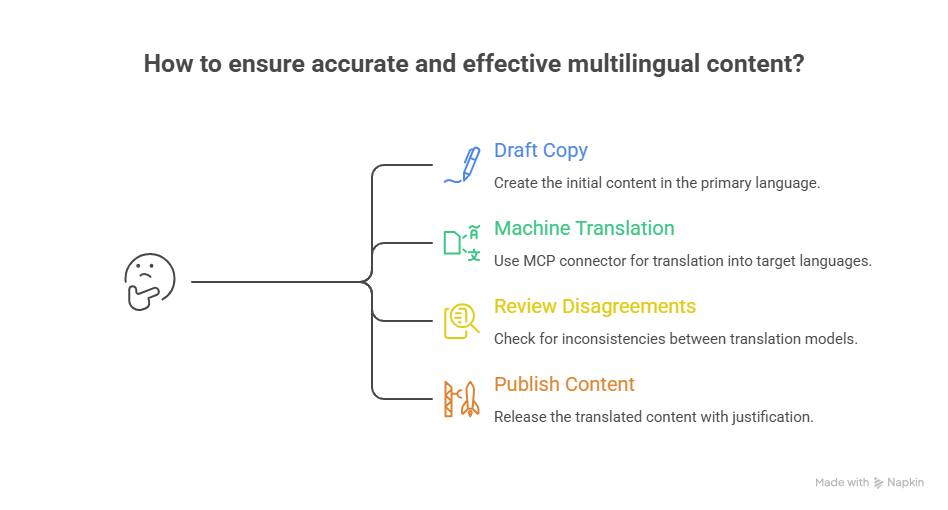
None of that requires hiring a localization vendor for routine content, and none of it requires the founder personally knowing German, Portuguese, or Japanese well enough to catch a bad translation before a customer does.
The AI assistants doing the drafting were never the weak link in a global content workflow. The weak link was trusting whichever single model happened to answer first. Connect the two properly, and that stops being a decision anyone has to make by hand.